
Marketing Automation

Improving Lifetime Customer Value In Home Services

From One-Time Repair to Lifetime Customer

Improving Lifetime Customer Value In Home Services

A post-service follow-up sequence that turns every completed job into long-term revenue.

Your technician just finished a $350 garbage disposal replacement. The homeowner’s happy. The invoice is paid. Your tech moves on to the next call… and that customer quietly disappears into your database.

Then their water heater fails in three years, and they Google “plumber near me” instead of calling you, because they forgot your name. Not because you did bad work, but because you never gave them a reason to remember you.

This is one of the most expensive failures in home services: customers you already served, already impressed, already paid to acquire—who drift away because there’s no system for what happens after the truck leaves the driveway.

And the stakes are high. It’s estimated the average customer lifetime value (CLV) for HVAC is about $47,200,

That means a $350 repair isn’t a $350 transaction. It’s the first page of a relationship that can generate tens of thousands in future revenue, if you have a system to keep the relationship alive between service events.


What You’ll Learn


Why the Post-Service Window Is the Most Valuable Moment You’re Ignoring

Right after a completed service call, homeowners are in the highest-trust, highest-satisfaction state they’ll ever be in with your company.

They watched your technician work. They felt the relief of a solved problem. They experienced your professionalism and pricing. If the experience was good, you’ve earned trust you can’t replicate with ads.

But that trust decays quickly. Within days, the emotional residue fades. Within weeks, the job becomes “fine.” Months later, they remember a truck was in the driveway at some point.

This isn’t a loyalty problem. It’s a communication system problem. Most homeowners don’t “leave” you, they simply stop thinking about you.

So the goal of post-service marketing isn’t to “sell.” It’s to stay relevant, and to do it with a timed sequence that feels helpful, specific, and connected to what you just did in their home.


The Anatomy of a Post-Service Marketing Sequence

A post-service sequence isn’t a generic newsletter or a monthly blast. It’s a triggered series of messages that begins when a job is completed and continues for years, each touchpoint serving a specific purpose at a specific time.

Think in five time horizons:

  1. First 48 hours: Cement the experience
    • Send a genuine thank-you + short summary of what was done.
    • Confirm warranty/guarantee details.
    • Then (secondarily) request a review.

    Key rule: lead with appreciation and clarity, not “Rate us on Google.” The sequence should feel like professional follow-through, not a reputation grab.

  2. Days 3–7: Service-specific education
    • Water heater: temperature setting guidance + what the warranty covers.
    • Drain cleaning: what causes repeat backups + warning signs.
    • Electrical repair: safe load/usage + surge protection considerations.
    • HVAC repair: what seasonal maintenance extends life.

    This isn’t content marketing. It’s proof you’re a trusted advisor, built on the job you just completed.

  3. Weeks 2–4: Soft introduction to maintenance
    • Not a hard sell—an “FYI” tied to the service they just received.
    • Show what’s included and why it prevents future issues.
    • Make enrollment feel like a logical next step, not an upsell.

    Why this timing matters: it separates the maintenance decision from the repair bill moment, so the customer evaluates it on its own merits.

  4. Months 2–6: Seasonal relevance + gentle re-engagement
    • Use service history to stay specific (not generic “Fall is here” blasts).
    • Example: If you cleared a main drain in summer, send a cold-weather reminder in fall in freeze-prone climates.
    • Example: If you installed an HVAC system in spring, follow up before winter with a targeted check-in.

    Specificity is what separates emails that get opened from emails that get deleted.

  5. Ongoing annual cadence: Protect the long-term relationship
    • Anniversary reminders tied to the install/service date.
    • Maintenance reminders.
    • Equipment-age milestones that naturally lead to replacement conversations.
    • Safety checks and efficiency assessments as equipment ages.

    This is where the real CLV shows up—year-over-year contact for the next 10–20 years.


Which Channels to Use (and When)

Most contractors default to email only. The best systems blend channels—because homeowners don’t all pay attention in the same place.

  • 48 hours: Email (summary + warranty) + SMS (short thank-you + link to summary/review)
  • 3–7 days: Email education (service-specific)
  • 2–4 weeks: Email maintenance intro + optional SMS nudge (for high-value categories)
  • 2–6 months: Email seasonal check-ins + SMS for appointments (“Want us to take a look before winter?”)
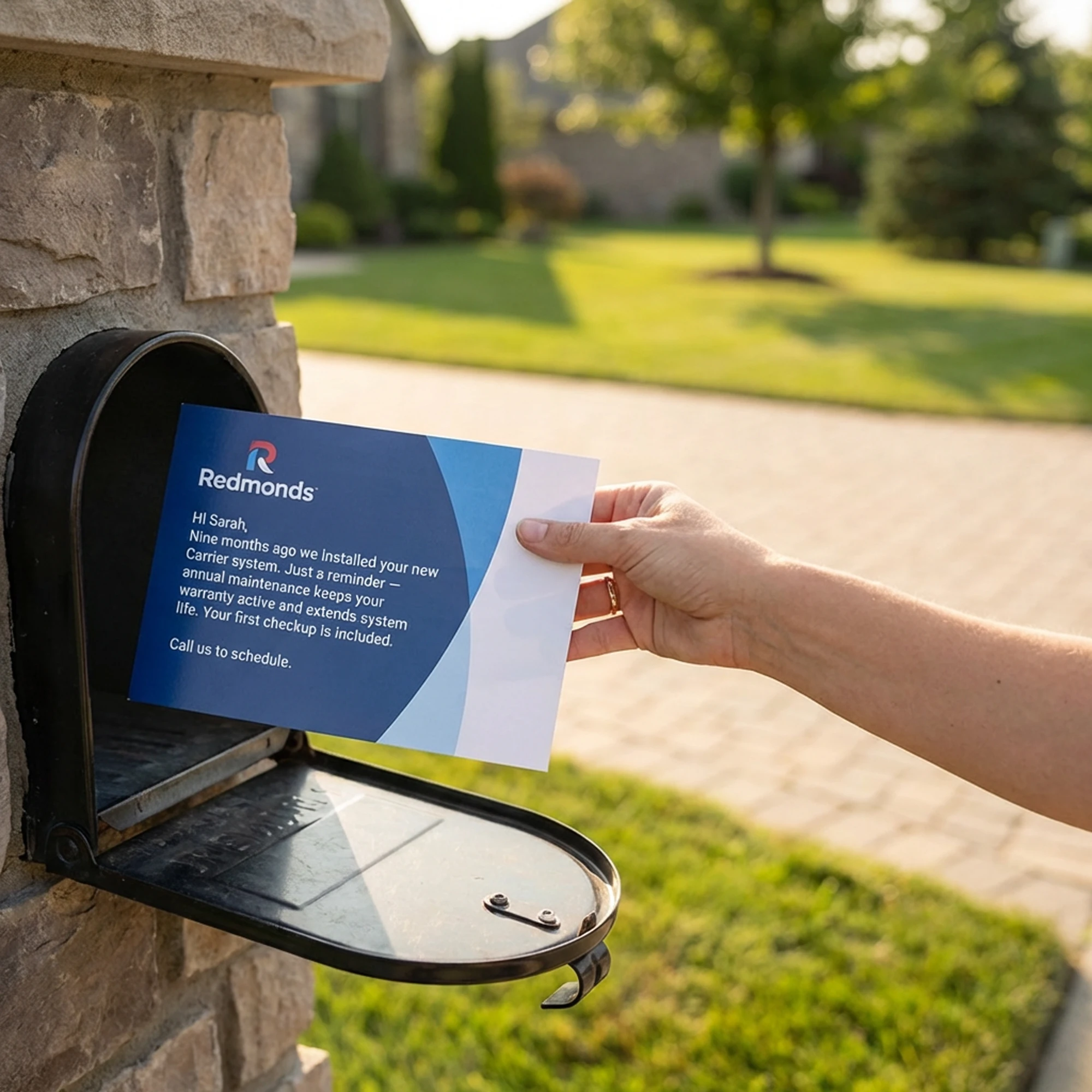
  • Annual cadence: Email + (optional) postcard for major equipment categories and long gaps between service events

Direct mail is especially effective for “long gap” services (replacement cycles, annual checkups) because it stays visible in the home longer than an email.


Build the System From Your Existing FSM Data (In 7 Steps)

You already have the raw material: completed job data, dates, service types, equipment notes, and customer contacts inside your field service management platform.

  1. Choose your first category: start with installs/replacements (highest lifetime value potential).
  2. Define 4–6 service buckets: installs, major repairs, maintenance, drain/sewer, diagnostics/minor repairs, etc.
  3. Map the five horizons: decide the purpose of each touchpoint per bucket.
  4. Write modular templates: build 2–3 message variants per touchpoint (keeps it from feeling automated).
  5. Set trigger logic: “job completed” + “service type” + (optional) “equipment tag.”
  6. Pick your channel mix: email + SMS (and postcard where appropriate).
  7. Measure and refine monthly: reviews, maintenance enrollments, callback rate, booked jobs from follow-ups.

Tip: if your system supports it, tag the job at closeout (install / repair / drain / maintenance) so automation stays clean.


The Maintenance Agreement Bridge

Inside the sequence, the most important milestone is converting a one-time customer into a maintenance agreement customer—because memberships create recurring revenue, guaranteed annual touchpoints, and first call rights on future work.

There’s strong evidence that maintenance agreements create significant “pull-through” revenue. Companies report pull-through work generating anywhere from $1 to $3+ in additional revenue for every $1 of maintenance agreements in place.

Industry program data also supports the idea that service agreement customers contribute materially to total revenue; for example, FieldEdge notes preventive maintenance contracts capturing a meaningful share of HVAC revenue in recent reporting.

Make your maintenance offer feel like protection + priority, not a subscription.

Example positioning block (use your actual details):

  • What’s included: annual system check, priority scheduling, safety inspection, and member savings on repairs
  • Why it matters: extends equipment life, reduces breakdown risk, catches issues early
  • Who it’s for: homeowners who want fewer surprises and faster help when something goes wrong

Why Retention Pays

Bain & Company’s retention research (often attributed to Frederick Reichheld) is widely cited for the idea that increasing retention by 5% can increase profits by 25% to 95%.

The same Bain retention overview also reinforces a core reality: acquiring new customers is far more expensive than keeping existing ones.

And there’s still massive headroom: Workyard cites that only about 30% of homeowners schedule preventative maintenance.


What the Numbers Can Look Like

  • HVAC CLV: ~$47,200 estimate (FirstPageSage; also cited by EnerTech USA).
  • Retention impact: +5% retention can raise profits by 25% to 95% (Bain).
  • Service life: many HVAC components commonly land in the ~15–20 year range with proper maintenance ( HVAC.com).
  • Replacement cost range: replacement commonly falls into the ~$7,500–$15,000 range depending on system and scope (R10; HVAC.com provides additional context/ranges).

Estimated example:

Imagine a $3M home services company completing ~3,000 calls/year (an illustrative mix that implies roughly a $1,000 blended average ticket—your numbers may vary). If a post-service sequence improves 24-month “return customer” behavior from 20% to 30% (an internal/industry-informed estimate), that’s 300 additional returning customers.

If those 300 customers average $1,200 in annual follow-on revenue through maintenance plus additional service, that’s ~$360,000 in annual revenue created from customers you already served.

Now layer in replacements. If your system helps you retain even a modest number of additional replacements that would have gone elsewhere—using the cited replacement cost ranges above—the upside grows quickly.


Why Most Companies Never Build This

  • The revenue is “invisible”: when a customer calls 14 months later, it looks like the phone “just rang.”
  • It requires upfront work: the payoff compounds over months and years, not by Friday.
  • Most vendors don’t sell it: many marketing services are built around lead gen, not retention systems that reduce dependence on buying leads.

Start Simple: Launch One Sequence in 7 Days

Don’t build everything at once. Start with installs/replacements and ship a five-touch sequence:

  • 48 hours: thank-you + work summary + warranty info (+ review request secondary)
  • 1 week: education about the installed system
  • 3 weeks: soft maintenance plan introduction
  • 3 months: seasonal check-in
  • 12 months: anniversary reminder + inspection/renewal offer

Track three things for 90 days: engagement (opens/clicks), maintenance enrollments from the sequence, and callback rate compared to your baseline.


The Compounding Effect

When post-service follow-up becomes part of your operating system, every service call stops being a transaction and starts being an investment. Every completed job adds future revenue potential to a system that runs automatically—without relying on new lead spend to keep the phone ringing.

The $47,000+ lifetime value number isn’t magic. It’s what happens when you build the retention machine that captures it, one completed job at a time.

Next step: choose one category, write the five messages, and launch the first sequence. Then expand one service bucket at a time.


FAQ

What is a post-service follow-up sequence?

A triggered set of messages that starts immediately after a job is completed and continues over time—designed to keep you top-of-mind, educate the customer, and convert one-time calls into repeat revenue.

How long should the sequence run?

Start with 12 months. The real payoff comes from an annual cadence that continues for years (anniversary reminders, seasonal check-ins, and maintenance prompts).

What should the first message say?

Thank them, summarize what was done, clarify any warranty/guarantee details, and provide a single “if anything feels off, reply/call us” instruction. Then (optionally) include a review link as a secondary ask.

How do you segment customers?

By service type (install vs. repair vs. maintenance vs. drain/sewer, etc.), and when possible by equipment tag and service date. One-size-fits-all sequences lose specificity and performance.

:contentReference[oaicite:0]{index=0}

From One-Time Repair to Lifetime Customer Read More »

Email Marketing Strategies for Home Service Contractors

Email Marketing Strategies for Home Service Contractors

Email Marketing Strategies for Home Service Contractors

The $50,000 Hiding in Your Customer Database

How many customers are in your field service management software right now? Not leads. Not estimates. Actual customers—people who have paid you money for work in the past.

For most established HVAC, plumbing, and electrical companies, that number falls somewhere between 3,000 and 15,000 households. Every one of those households already knows your company, already trusted you enough to let a technician into their home, and already owns systems that will eventually need service, repair, or replacement.

Now ask yourself: when was the last time you systematically communicated with all of them?

If the answer is “never” or “we send a Christmas card,” you’re sitting on one of the most valuable and underutilized assets in your business. That customer list isn’t just a record of past transactions. It’s a database of future revenue waiting to be activated.

This applies specifically to established home service companies with thousands of past customers. If you already have steady demand and want to grow more efficiently, this is where leverage lives.

The math is straightforward. If you have 5,000 customers and generate just one additional service call from 2% of them over the next year—100 customers—at an average ticket of $500, that’s $50,000 in revenue. From an email that costs essentially nothing to send. No ad spend. No lead generation fees. No competing with every other contractor bidding on the same Google keywords.

That $50,000 isn’t hypothetical. It’s conservative. Companies that build systematic email programs around their existing customer base routinely generate far more, not just from service calls, but from maintenance agreements, equipment replacements, and referrals that come from staying top of mind.

Why Most Service Companies Ignore Their Best Asset

If email marketing to existing customers is so valuable, why don’t more contractors do it? There are a few consistent reasons.

First, it doesn’t feel urgent. New leads demand immediate attention. The phone rings, a call gets dispatched, and revenue follows. Email to past customers doesn’t ring any bells. There’s no forcing function, so it gets pushed to “someday,” indefinitely.

Second, most owners think of marketing as lead generation. Agencies and vendors train contractors to focus on acquiring new customers, not nurturing existing ones. The conversation revolves around cost per lead instead of lifetime customer value. That framing is backwards, but it’s common.

Third, the technical setup feels complicated. Customer data lives in ServiceTitan, Jobber, or Housecall Pro. Getting it into an email platform feels like one more thing on an already long list.

Fourth, many owners don’t know what to say. They’re not writers. The idea of producing content regularly feels overwhelming, so nothing gets sent.

Every one of these obstacles is solvable. And solving them unlocks a revenue stream that keeps producing year after year with minimal ongoing investment.

The Three Email Campaigns Every Service Company Needs

You don’t need a sophisticated content operation to extract value from your customer list. You need three foundational campaigns that address three distinct opportunities: reactivation, seasonal demand, and relationship maintenance.

Each campaign serves a different purpose, but together they turn your customer database into a predictable revenue asset.

Reactivation Campaigns

The reactivation campaign targets customers who haven’t called in a defined period, typically 12 to 18 months. These are people who used your services, likely had a good experience, and then disappeared—not because they were unhappy, but because life got busy or another company happened to reach them first.

The message is simple: “It’s been a while since we’ve helped you. We’d love to take care of your heating, cooling, plumbing, or electrical needs.” Add a reason to act now—a seasonal reminder, a free inspection, or a modest incentive.

Typical performance is remarkably consistent. Expect 15–25% open rates and 1–3% of recipients booking a call within 30 days. On a list of 1,000 dormant customers, that’s 10–30 service calls from a single email. At a $400 average ticket, that’s $4,000–$12,000 in revenue.

Sent quarterly, reactivation campaigns alone can produce $16,000–$48,000 annually.

Seasonal Campaigns

Seasonal campaigns align with natural demand patterns. Before summer, you email about AC tune-ups. Before winter, heating inspections. Before holidays, electrical safety or plumbing stress from houseguests.

These campaigns work because customers are already thinking about the problem. You’re not creating demand. You’re capturing it before someone else does.

Seasonal campaigns also create legitimate urgency. “Schedule before our busy season” isn’t pressure—it’s reality. Customers understand that service companies book up when temperatures swing.

Relationship Campaigns

The relationship campaign is your ongoing newsletter, sent monthly or quarterly. It’s not about immediate response. It’s about staying familiar.

Content can include maintenance tips, energy-saving advice, rebate reminders, or light company updates. The goal is simple: when a customer needs service, your name comes to mind first.

This is also where referrals come from. People recommend companies they hear from regularly, not ones they forgot existed.

What to Actually Say

The content doesn’t need to be elaborate. Simple, clear, and human works best.

For reactivation emails, acknowledge the relationship. “It’s been a while since we’ve helped you.” Then give a reason to respond and a clear call to action. Three to four short paragraphs is enough.

For seasonal campaigns, lead with the problem you solve. Explain what can go wrong if it’s ignored, then position your service as the easy solution.

For newsletters, lead with value. Share something useful before you ask for anything. Helpful emails get read. Promotional-only emails get ignored.

Across all campaigns, write the way you talk to customers. Use “you” and “we.” If it sounds like it came from a marketing department, it will be treated like marketing.

Segmentation: The Multiplier

These campaigns work even if you send them to your entire list. They work dramatically better when you segment.

If you do nothing else, segment by service type and last service date.

HVAC customers should get HVAC emails. Plumbing customers should get plumbing content. Someone who’s never used your electrical services doesn’t need an electrical panel upgrade promotion—but they might respond well to an introduction to that division.

Service history adds another layer. Customers with older equipment are candidates for replacement messaging. Customers who declined a repair may need a follow-up months later. Customers with recent major work may be ideal maintenance agreement prospects.

Your FSM software already contains this data. The difference is whether you’re using it.

The Technical Setup

Getting customer data from your FSM into an email platform is simpler than most people expect.

Most systems can export customer data as a CSV file. Platforms like Mailchimp, Constant Contact, ActiveCampaign, or HubSpot can import that data and segment based on the fields you provide.

The manual approach, exporting and uploading once a month, works fine to start. As you scale, tools like Zapier or more advanced setups using Directus or n8n can automate the process.

Don’t let automation be the barrier. A manual email program generates infinitely more revenue than a perfect system that never gets built.

Measuring What Matters

Ignore vanity metrics and focus on signals that drive decisions.

Open rate tells you if subject lines and deliverability are working. 20–30% is healthy. Below 15% signals a problem. Above 35% is excellent.

Click rate tells you if your message and call to action resonate. Healthy click rates fall between 2–5%.

The metric that actually matters is revenue. Track which customers book calls after campaigns. Directional attribution is enough. Over time, patterns become obvious.

The Compounding Effect

The real power of email marketing isn’t any single campaign. It’s consistency.

Year one produces incremental revenue. Year two produces recurring customers, maintenance agreements, and referrals. Year three produces leverage, the same effort generates more results because the relationship asset has matured.

This is why sophisticated operators invest in customer communication. It compounds.

Getting Started This Week

If you’re not emailing your customer list today, start small.

Export customers from the past three years. Clean the list. Choose a platform. Send one reactivation email to customers who haven’t called in 12+ months.

Track calls for the next two weeks. Calculate the revenue. Then decide whether to do it again.

Most owners become believers after one send. The revenue is too obvious to ignore.

Your customer database is an asset. Start treating it like one.

Email Marketing Strategies for Home Service Contractors Read More »

Turn Unsold Estimates Into Closed Deals

Turn Unsold Estimates Into Closed Deals

Turn Unsold Estimates Into Closed Deals

Most Companies Stop Too Soon, Here’s Why That’s Costing You Thousands

If you’re like most home services business owners, you’re sitting on a goldmine you don’t even know you have. Hidden in your CRM or filing cabinet are hundreds—maybe thousands—of unsold estimates representing hundreds of thousands of dollars in potential revenue.

The hard part is already done. You’ve generated the lead, scheduled the appointment, sent a qualified technician, diagnosed the problem, and presented a solution. The homeowner just said “let me think about it” or “we need to get another quote.”

And then… crickets.

Here’s the reality: According to industry research, 60% of sales are made after the fourth follow-up contact*. Yet most home services companies give up after one or two attempts. That means you’re leaving a fortune on the table simply because you lack a systematic follow-up process.

Let’s fix that. Here’s how to create a follow-up system that turns cold estimates into closed deals without being pushy or annoying.

In this guide, you’ll learn:

  • Why most follow-ups fail (and how to fix them)
  • The exact 5-stage system top companies use to close more estimates
  • How to automate the process using your existing CRM tools

Why Most Follow-Up Attempts Fail

Before we dive into what works, let’s talk about why most follow-up efforts fall flat:

Inconsistency: Your technician follows up with some customers but not others. There’s no system, so it depends entirely on who remembers and who has time.

Wrong timing: You call once the next day, and when they don’t answer, you assume they went with someone else.

Wrong message: Your follow-up sounds like “So, are you ready to buy yet?” instead of providing additional value or addressing concerns.

Single channel: You only call, or only email, missing opportunities to connect through the channels your customers actually prefer.

A proper follow-up system addresses all of these issues with automation, multiple touchpoints, varied messaging, and multi-channel outreach.

Pro Tip: The goal of every follow-up isn’t to close the sale, it’s to move the conversation one step closer to yes.

The Anatomy of a High-Converting Follow-Up System

Stage 1: The Immediate Follow-Up (Same Day)

Your follow-up sequence should begin before your technician even leaves the home. Before departing, your tech should:

Send a text message with a link to the written estimate and a personal note: “Thanks for your time today, [Name]. Here’s your estimate for the [system/repair]. I’ll check in tomorrow to answer any questions. – [Tech Name]”

This accomplishes three things: It confirms you have the right contact information, it puts the estimate in their hands immediately, and it sets expectations for future contact.

Stage 2: The Value-Add Follow-Up (24-48 Hours)

This is where most companies make their first and only attempt. Don’t waste it with “Just checking in!” Instead, provide genuine value:

Phone call (Day 1): Your technician or a dedicated follow-up specialist calls with a specific reason. “Hi [Name], I wanted to reach out because I forgot to mention that we have 0% financing available for 12 months on your AC replacement. I know the investment was a concern, and this could bring your monthly payment down to around $150. Do you have a minute to discuss?”

Email (Day 2): Send an automated email with helpful content related to their specific issue. For an AC replacement estimate, this could include “5 Warning Signs Your AC is About to Fail” or “How to Know if Repair or Replacement is Right for You.” Include a soft call-to-action and make it easy to book.

The key is that you’re being helpful, not pushy. You’re the expert guide, not the desperate salesperson.

Stage 3: The Objection-Handler Follow-Up (Days 3-7)

Now you’re entering the zone where most companies have given up entirely. That’s your competitive advantage.

Text message (Day 3): “Hi [Name], I know you’re probably getting multiple quotes. When you’re ready to compare, I’m happy to review the details of what we proposed and answer any questions. No pressure—just want to make sure you have all the info you need to make the best decision.”

Email (Day 5): Send an automated email addressing the most common objections for your service. Use subject lines like “How we compare to other HVAC companies” or “What’s actually included in our price.” Include customer testimonials from people who were initially price-shopping but chose you for quality.

Video message (Day 7): If you have the contact’s email, send a quick personalized video (use Loom or similar) where your technician or sales manager recaps the estimate and offers to answer questions. This personal touch stands out dramatically in a sea of generic follow-ups.

Stage 4: The Long-Game Follow-Up (Weeks 2-8)

At this point, the homeowner has either hired someone else, decided not to do the work right now, or is still dragging their feet. Your job is to stay top-of-mind without being annoying:

Week 2: Email with seasonal relevance. “With temperatures expected to hit 95 next week, I wanted to follow up on your AC estimate. Our schedule is filling up fast—I can still get you in this week if you’d like to move forward before the heat wave hits.”

Week 4: Educational content. Add them to your monthly newsletter or send a one-off email with genuinely useful information about home maintenance, energy savings, or DIY tips (nothing that would replace your service, of course).

Week 6-8: The “final” follow-up. “Hi [Name],  I wanted to reach out one last time about your [service] estimate. If now’s not the right time, I totally understand. But if you decide to move forward in the future, we’d love to earn your business. Feel free to reach out anytime.”

Ironically, this “I’ll leave you alone” message often triggers a response because it removes pressure and gives the homeowner back control.

Stage 5: The Retargeting Campaign (Ongoing)

Even after your direct follow-up sequence ends, your marketing should keep working:

Facebook and Instagram ads: Use your CRM data to create a custom audience of unsold estimates and show them targeted ads highlighting your financing options, limited-time promotions, customer reviews, or seasonal messaging.

Google Display retargeting: When these homeowners browse other websites, your ads appear reminding them of your company and offer.

Seasonal reactivation campaigns: When the seasons change (approaching summer for AC, approaching winter for heating), send a targeted email or direct mail piece to old estimates letting them know you’re still available and reminding them of the importance of the work.

Stage 6: Direct Mail for High-Value Estimates

While automation and digital follow-ups handle most opportunities efficiently, high-value estimates, like system replacements, repipes, or panel upgrades, deserve an extra personal touch.

That’s where direct mail shines. A well-timed postcard or letter can make your company stand out when the homeowner is comparing quotes or waiting to move forward.

Use your CRM to identify any unsold estimates above a certain threshold (for example, jobs over $4,000). Then send a short, professional mailer that:

  • Reiterates the value of your proposal

  • Highlights financing or warranty options

  • Includes a clear call-to-action (QR code or link to approve the estimate online)

Personalized mail, especially when it references the homeowner’s specific project, feels tangible, builds trust, and often gets noticed when inboxes are crowded.

Combine this with your digital retargeting for maximum effect: see your brand in the mailbox, inbox, and social feed—all reinforcing the same message.


The Technical Setup: Making It Actually Happen

A system is only valuable if it actually runs. Here’s how to implement this without adding hours to your day:

Use your CRM or service software: Platforms like ServiceTitan, Housecall Pro, Jobber, or even simpler tools like HubSpot have automation features. Set up automated email sequences triggered when an estimate is marked “pending” or “unsold.”

Create templates: Write your email templates, text message scripts, and phone call scripts once. Personalize with merge fields (customer name, service type, estimate amount, tech name) so they feel custom.

Assign responsibility: Decide who owns follow-up. Is it the technician who wrote the estimate? A dedicated inside sales person? Office manager? Be crystal clear about who’s doing what.

Track and measure: Create a simple dashboard showing how many estimates are in follow-up, how many touchpoints have been completed, and most importantly, how many are converting back to sales. This data will help you refine your approach.

If your CRM doesn’t have built-in automation, tools like n8n, Zapier, or HighLevel can trigger emails, texts, or postcards automatically when an estimate is marked unsold, ensuring every lead enters your follow-up funnel.

What to Say (and What Not to Say)

The language you use in follow-ups matters enormously. Here are some guidelines:

Do focus on value: Every touchpoint should offer information, education, or solutions to objections. “I wanted to share…” “I realized I didn’t mention…” “I thought you’d find this helpful…”

Don’t be vague: Avoid “just checking in” or “following up on your estimate.” Be specific about why you’re reaching out.

Do acknowledge reality: “I know you’re probably talking to other companies…” or “I understand this is a big investment…” shows empathy and builds trust.

Don’t create false urgency: If you don’t actually have a limited-time offer or scheduling constraint, don’t invent one. Homeowners see through it and it damages trust.

Do make it easy: Every message should include a simple way to respond—a phone number, text line, or booking link. Remove friction.

The Numbers: What to Expect

When implemented correctly, a systematic follow-up process typically converts 30-40% of previously cold estimates into closed deals. Let’s put that in perspective:

If you write 100 estimates per month with an average value of $5,000, and 40 of them go unsold initially, that’s $200,000 in lost revenue every month. If you convert just 30% of those through follow-up, you’re adding $60,000 in monthly revenue—$720,000 per year—from work you’ve already bid.

That’s not counting the referrals and repeat business these customers will generate over their lifetime.

Getting Started Tomorrow

You don’t need to build the perfect system before you start. Here’s how to begin immediately:

This week: Create a simple spreadsheet of all unsold estimates from the last 30 days. Pick up the phone and call five of them today with a specific value-add message. Track what happens.

This month: Write three email templates, one for day two, one for day five, and one for week two. Begin manually sending these to every new unsold estimate.

Next month: Set up automation in your CRM or email platform so these emails send automatically. Add text message touchpoints.

Quarter two: Implement retargeting ads and build out your long-term nurture sequences.

The fortune is truly in the follow-up. Your competitors are walking away after one or two attempts. Your customers need multiple touchpoints before they’re ready to buy. And your business deserves to capture the revenue from work you’ve already quoted.

Start following up systematically, and watch your close rate climb while your marketing costs stay exactly the same. That’s the definition of marketing supporting sales.

Want Help Setting Up Your Follow-Up System?

If you’d like expert help implementing automated follow-ups in ServiceTitan, Jobber, or another platform, our team can help you recover lost revenue from unsold estimates. Schedule a free consultation.


* Source: Science-Backed Tips for Making Better Sales Calls – HubSpot Blog

Turn Unsold Estimates Into Closed Deals Read More »

Marketing Automation For Home Services

Marketing Automation: Strategies For Home Service Companies

Marketing Automation

In today’s digital age, running a successful home service company requires more than just excellent technical skills and reliable service. To stay competitive and grow your business, you need efficient systems for attracting, converting, and retaining customers.

Marketing automation is proving to be a game-changing solution for home service professionals looking to streamline their marketing efforts and boost their bottom line. According to a recent Home Service Economic Report from Jobber, businesses that use marketing automation tools experience a 23% higher customer retention rate compared to those who don’t.

What Is Marketing Automation?

Marketing automation refers to software platforms and technologies that help businesses automate their marketing activities across multiple channels. For home service companies, this means automatically handling tasks like appointment reminders, follow-up emails, maintenance schedules, and customer communications – all while maintaining a personal touch that your customers expect. Research by McKinsey shows that companies that excel at marketing automation generate twice as many leads as those using traditional marketing methods.

Why Your Home Service Company Needs Marketing Automation

The benefits of implementing marketing automation are substantial:

Save Time and Resources
Automate repetitive tasks like sending appointment confirmations, maintenance reminders, and follow-up emails.

Improve Customer Experience
Deliver timely, relevant communications that keep customers informed and engaged.

Increase Revenue
Generate more repeat business and referrals through systematic follow-up and nurturing.

Enhance Efficiency
Streamline operations and ensure no opportunities fall through the cracks.

Make Data-Driven Decisions
Track and measure the effectiveness of your marketing efforts.

Key Marketing Automation Strategies for Home Service Companies

1. Automated Customer Communication Workflows
Set up automated email and SMS sequences for:

  • Welcome messages for new customers
  • Appointment confirmations and reminders
  • Service technician arrival updates
  • Follow-up satisfaction surveys
  • Maintenance schedule reminders
  • Special offers and promotions

2. Lead Nurturing and Management
Implement systems to:

  • Capture and track website visitor information
  • Score leads based on behavior and interests
  • Distribute leads to your sales team
  • Follow up with prospects automatically
  • Track conversion rates and optimize your approach

3. Customer Relationship Management
Use automation to:

  • Track customer service history
  • Record equipment details and preferences
  • Schedule recurring maintenance
  • Identify upsell opportunities
  • Monitor customer satisfaction levels

4. Personalized Content Delivery
Share targeted content such as:

  • Seasonal maintenance tips
  • Energy-saving recommendations
  • Home safety information
  • Equipment care guides
  • Local weather alerts and related service reminders

Getting Started with Marketing Automation

Step 1 – Assess Your Current Process
Before implementing marketing automation, evaluate your existing marketing and customer communication processes. Identify manual tasks that could be automated and areas where customer experience could be improved.

Step 2 – Choose the Right Platform
Select a marketing automation platform that:

  • Integrates with your existing systems
  • Offers features relevant to home services
  • Provides good customer support
  • Fits your budget and technical capabilities
  • Can scale with your business

Step 3 – Start Small and Scale Up
Begin with basic automation workflows:

  • Welcome sequences for new customers
  • Appointment confirmations and reminders
  • Post-service follow-ups
  • Maintenance reminders

As you become comfortable with these basics, add more sophisticated features like:

  • Lead scoring
  • Behavior-based triggers
  • Multi-channel campaigns
  • Advanced segmentation

Best Practices for Success

1. Segment Your Audience
Divide your customer base into groups based on:

  • Services used
  • Equipment owned
  • Service history
  • Geographic location
  • Customer lifetime value

2. Personalize Your Communications
Make messages relevant by:

  • Using customer names
  • Referencing specific equipment
  • Mentioning past services
  • Considering seasonal needs
  • Including local information

3. Monitor and Optimize
Continuously improve by:

  • Tracking email open rates and clicks
  • Measuring conversion rates
  • Analyzing customer feedback
  • Testing different approaches
  • Refining your messaging

Real-World Example: Seasonal HVAC Maintenance Campaign

Here’s how an automated campaign might work:

  • System identifies customers due for seasonal maintenance
  • Sends initial maintenance reminder email with scheduling link
  • Follows up with SMS reminder if no response
  • Confirms appointment and sends technician details
  • Requests feedback after service completion
  • Schedules next seasonal maintenance reminder
  • Sends equipment replacement recommendations when appropriate

Measuring Success

Track key metrics such as:

  • Customer retention rates
  • Revenue per customer
  • Lead conversion rates
  • Customer satisfaction scores
  • Campaign engagement rates
  • Return on marketing investment

Industry Benchmarks for Success

According to the Home Service Economic Report from Jobber:

  • Top performers using automation achieve:
    • 92% customer retention rate
    • 4.8+ star average rating
    • 34% higher revenue per customer
    • 45% lower customer acquisition cost
    • 73% reduction in manual tasks

Small Steps Lead To Big Growth

Marketing automation is no longer a luxury – it’s a necessity for home service companies looking to grow and succeed in today’s competitive market. By implementing these strategies and following best practices, you can create more efficient operations, deliver better customer experiences, and drive sustainable business growth.

Remember to start small, focus on quality over quantity, and continuously refine your approach based on results. With the right marketing automation strategy, your home service company can build stronger customer relationships while saving time and resources for what matters most – delivering excellent service to your customers.

Ready to take your home service company’s marketing to the next level? Service Labs Group can help you identify the manual tasks that consume most of your time and help you consider how automation could help streamline these processes. Your future self – and your customers – will thank you.

We want to hear your thoughts. Let’s Talk.

Founded in 2022, Service Labs Group leverages 17 years of prior experience in digital marketing, specifically catering to the needs of plumbing, HVAC, electrical, and other home service companies.

Service Labs Group’s mission is to utilize our distinct background and industry experience to provide our clients with innovative tools, empowering them to thrive in a competitive and rapidly evolving environment.

By expanding our expertise to encompass workflow automation, AI and application development, we aim to unlock limitless opportunities for growth.

Marketing Automation: Strategies For Home Service Companies Read More »

Wordpress Social Share Plugin powered by Ultimatelysocial
Scroll to Top